
Last updated: October 20, 2026
You searched for Gramhir Pro AI image generator, and now you may feel confused. Some pages say it makes stunning pictures in seconds. Others say the tool does not work at all. So which story is true?
This guide gives you a clear and honest answer. We read three public guides about the tool, compared what each one claims, and separated facts from guesses. You will learn where the name came from, what people say it can do, which claims nobody can prove, and how to stay safe online.
You will also get simple tips for writing good AI image prompts, a checklist for judging any image tool, and a list of well-known options that you can check for yourself. Everything is written in plain words, so you can follow it even if AI is new to you.
Our goal is simple. By the end, you will know what to trust, what to skip, and what to do next. Let’s start with the basics.
The Quick Answer: What Is This Tool
Short answer: it is a website name that many online articles link to an AI image generator, but the public proof is thin. Some pages describe a tool that turns words into pictures. Other pages say the AI part cannot be confirmed.
Here is the easy way to think about it. Gramhir Pro shows up in search results next to phrases like AI photo generator and text to image. Many writers copy each other, so the same claims appear again and again: fast results, many art styles, and a monthly plan. In the pages we read, none of these claims came with a public price page, a clear company name, or screenshots we could check.
The site’s own guide says its AI image section is an editorial resource, not a software product. That detail matters. It means you should read those pages as articles that explain tools, not as a manual for a working app.
Our advice is easy. Treat every big claim as not proven yet until you can see it with your own eyes. Then choose tools that show clear prices, clear rules, and real support.
Where the Name Came From
The name has a longer story than most people know. A 2026 review from SoftBrixAI says the domain first became popular as an Instagram viewer. That older tool let people look at public Instagram profiles and posts without logging in. It was once called Gramho, and it showed simple numbers such as follower counts.
Later, the same domain began to appear in articles about AI images. SoftBrixAI also reports that independent reviews from April 2026 found the old viewer was no longer running and that the AI generator could not be confirmed. One review even described the domain as acting more like a blog than a working tool.
That leaves three different things sharing one name:
- The old Instagram viewer, which is reported to be offline.
- The AI image generator, which is described online but hard to prove.
- Look-alike websites, which copy the name to get clicks.
Why does this matter? A name can stay famous long after a product changes or disappears. Before you type your email address or card number into any site, make sure you know which one you are on. That is the key lesson from the Gramhir Pro story: a famous name is not proof of a working product.
What Online Guides Say the Tool Can Do
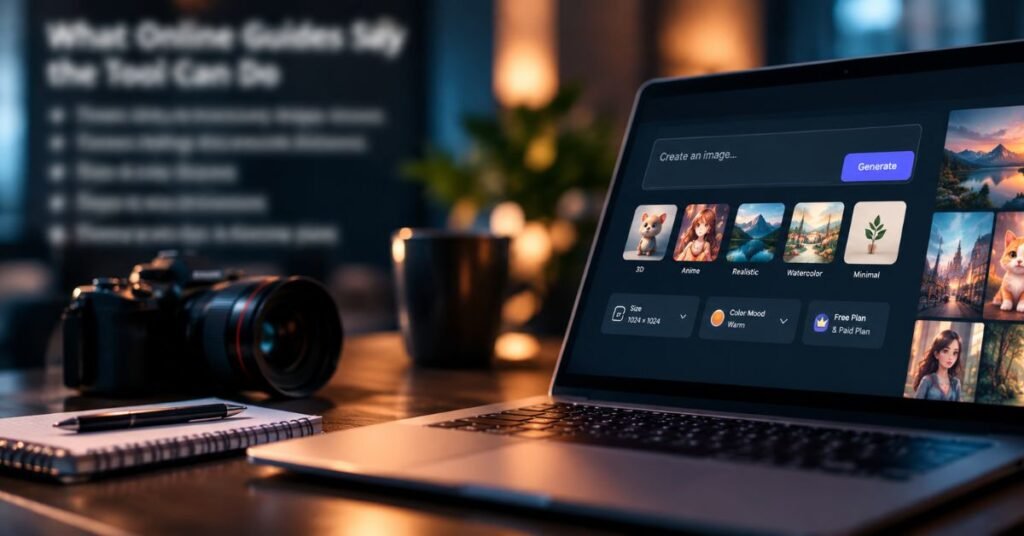
Most guides repeat the same list. In simple words, they say the tool can:
- Turn a short text prompt into a picture.
- Offer many styles, such as 3D, anime, realistic, watercolor, and minimal art.
- Create images in a few seconds.
- Let you pick the size and color mood.
- Offer a free plan and a paid plan.
One popular review also says its writer tested more than 1,000 images. We could not find proof that anyone repeated that test, so it is best to treat it as a claim, not a fact.
Notice something important. These features sound normal because almost every modern image tool has them. That is why the lists feel copied. They tell you what AI image tools can do in general. They do not prove what Gramhir Pro itself has shown in public.
When you read any review, ask three quick questions. Can I see the tool working? Can I try it for free without sharing private data? Can I find the company behind it? If the answer is no, slow down.
What Can Be Checked and What Cannot
A smart reader separates facts from guesses. Facts can be checked by anyone. Guesses are repeated so often that they start to feel true.
Here is what we can say with good confidence: AI image tools are real, they are popular in 2026, and many of them show clear prices and rules. Here is what we cannot confirm for this specific website: the monthly price, the exact speed, the type of AI inside, and the test results.
You can use this simple five-step method on any AI tool:
- Look for a pricing page with real numbers.
- Look for the company name and a contact address.
- Search for screenshots or videos from different users.
- Read the privacy rules and terms of use.
- Test with a free plan before you pay.
If a tool fails two or more steps, it is safer to pick another one. Good tools do not hide these basics. They want you to see them, because trust helps them grow.
Visual Summary: Claims and Tool Options
Tables make hard ideas easier to see. The first table shows common claims and how well they can be checked. The second shows popular tools you can verify.
Common claims and what we found
| Claim in online articles | Can we confirm it? | What to do |
|---|---|---|
| Makes images from text in seconds | Normal for the category, but not proven for this site | Test any tool yourself |
| Uses GAN technology | Not proven; most top tools now use diffusion | Do not rely on this claim |
| A $15 monthly Pro plan | No public price page found | Ask for official pricing |
| 1,000+ images tested | Not repeated by others | Treat as unproven |
| Mobile app available | Reports say no dedicated app | Avoid unknown app downloads |
Popular image tools in 2026 (prices are approximate; confirm before buying)
| Tool | Best for | Typical cost |
|---|---|---|
| Midjourney | Artistic, stylish images | About $10 to $60 a month |
| ChatGPT image tools | Text inside images, easy chat edits | About $20 a month with ChatGPT Plus |
| Flux | Realistic product photos | About $0.01 to $0.10 per image on hosted sites |
| Stable Diffusion | Full control and privacy | Free to run on your own computer |
| Leonardo AI | Game art and custom styles | Free plan and paid plans |
Prices come from public 2026 reports and change often, so always read the official page first.
How AI Image Generators Really Work
You do not need to be a scientist to understand the basics. An AI image generator learns from a huge number of pictures and their text descriptions. Later, when you type a prompt, it uses what it learned to build a new picture.
Many online guides say these tools use GANs, which are two networks that compete with each other. One network makes pictures and the other judges them. That idea is real, but it is older. Most top tools in 2026, including Midjourney, Flux, and Stable Diffusion, use a method called diffusion.
Here is diffusion in four easy steps:
- The tool turns your words into numbers it can understand.
- It starts with a screen full of random dots, like TV static.
- It removes the noise a little at a time, guided by your words.
- After many small steps, a clear picture appears.
Think of a sculptor who slowly removes extra stone until a statue shows up. This is why small changes in your words can change the whole picture. It is also why trying a few versions often gives better results than trying only one.
How to Write Better Image Prompts
Good prompts matter more than most people think. A short, vague prompt gives random results. A clear prompt gives the tool a plan to follow. This advice works in almost every image tool.
Use this simple formula:
| Part | Question to answer | Example |
|---|---|---|
| Subject | What is in the picture? | A red fox |
| Setting | Where is it? | In a misty forest |
| Light | What is the light like? | Soft morning sun |
| Style | What should it look like? | Realistic photo |
| Mood | How should it feel? | Calm and quiet |
Put it together: A red fox in a misty forest, soft morning sun, realistic photo, calm and quiet mood.
A few extra tips can help:
- Put the most important idea first.
- Use clear words instead of vague ones like nice or cool.
- Make three or four versions before you pick one.
- Change only one thing at a time, so you learn what works.
- Add words in a design app later, because AI still makes spelling mistakes in images.
Is It Safe? A Simple Checklist
Safety comes first when a website name is tied to unclear claims. If you land on a site that uses the Gramhir Pro name, follow these rules before you click anything.
- Never share your Instagram password. No honest viewer or image tool needs it.
- Do not enter card details until you can confirm the company, price, and refund rules.
- Avoid unknown downloads. Reports say there is no dedicated mobile app, so any app using the name deserves doubt.
- Check the web address carefully, because look-alike sites copy famous names.
- Use a spare email address for first-time sign-ups.
- Use a strong, unique password if you do create an account.
The U.S. Federal Trade Commission shares plain advice on spotting scams and protecting your money at consumer.ftc.gov. It is a good place to learn the warning signs, such as pressure to pay fast or promises that sound too good.
If something feels wrong, close the page. You lose nothing by leaving, and you can always find a safer tool.
Copyright and Fair Use of AI Images
Making a picture is only half the job. You also need to know whether you can use it. Rules for AI art are still changing, so it pays to be careful.
The U.S. Copyright Office explains that work made only by a machine, without enough human creative input, usually cannot be registered for copyright. You can read its official guidance on copyright and artificial intelligence. Adding your own edits, layout, and ideas may help, but the rules differ from country to country.
Here are safe habits for everyone:
- Read the terms of the tool to see who can use the pictures and for what.
- Do not make pictures of real people without their permission.
- Do not copy logos, brand characters, or a living artist’s style on purpose.
- Tell your readers when a picture is AI made, especially in news, school, or business work.
- Keep your prompts and settings as a record of how you made each image.
For a wider look at trust and safety in AI, the U.S. National Institute of Standards and Technology shares helpful material at nist.gov.
Better Options and How to Choose One
The best tool depends on your job, not on a famous name. Start by asking what you need most, then match it to a tool you can verify.
- Words inside the picture: choose a ChatGPT image tool or Ideogram.
- Art and mood boards: choose Midjourney.
- Product photos in large numbers: choose Flux.
- Full control and privacy: choose Stable Diffusion on your own computer.
- Game and character art: choose Leonardo AI.
Many teams use two tools, because no single tool is best at style, text, and price all at once. A backup also helps when one service goes down.
If you want to learn more before you spend money, these guides explain the basics in simple terms: an AI art generators guide, a short course on generative AI basics, and a complete guide to using AI.
Start with a free plan, test three of your own prompts, and only then decide if a paid plan is worth it.
Frequently Asked Questions
Is Gramhir Pro a real AI image generator
Many pages describe it that way, but public proof that it works is thin. Treat it with care and test any tool yourself first.
Is it free or paid
This is unclear. The popular claim of a free plan and a $15 monthly plan has no public price page behind it.
Is it safe to use
Be careful. Never share your Instagram password or card details until you can confirm who runs the site.
Is it the same as the old Instagram viewer
Reports say the name began with an Instagram viewer on the same domain. That viewer is reported to be offline.
What should I use instead
Pick a tool with clear prices and support, such as Midjourney, ChatGPT image tools, Flux, or Stable Diffusion.
Conclusion
Here is what we learned. Many articles describe a fast, friendly AI image tool, but the proof behind those claims is weak. The name began with a different product, the pricing and test claims cannot be checked, and some reviews say the AI part does not work. That does not mean you cannot make great AI pictures. It only means you should pick a tool that earns your trust.
So be smart and simple. Whenever you see Gramhir Pro or any other big name, check for a price page, a real company, and honest reviews. Use the five-step method from this guide before you share private details or pay money.
Now it is your turn. Choose one verified tool from Table 2, open its free plan, and write one prompt with the formula above. Try it today and see what you can create. If this guide helped you, share it with a friend who is also new to AI images, and bookmark it so you can come back when you need it.